Capture what matters
Select an area for a screenshot or screen recording. Capture tall, scrolling content in a single image.

Capture / Annotate / Share

Show what you mean.
Capture your screen. Add a little context. Keep the part that matters.
Turn screenshots and screen recordings into clear explanations with one Mac app.
Apple Silicon Mac · macOS 14 or later · English / 日本語 · Free
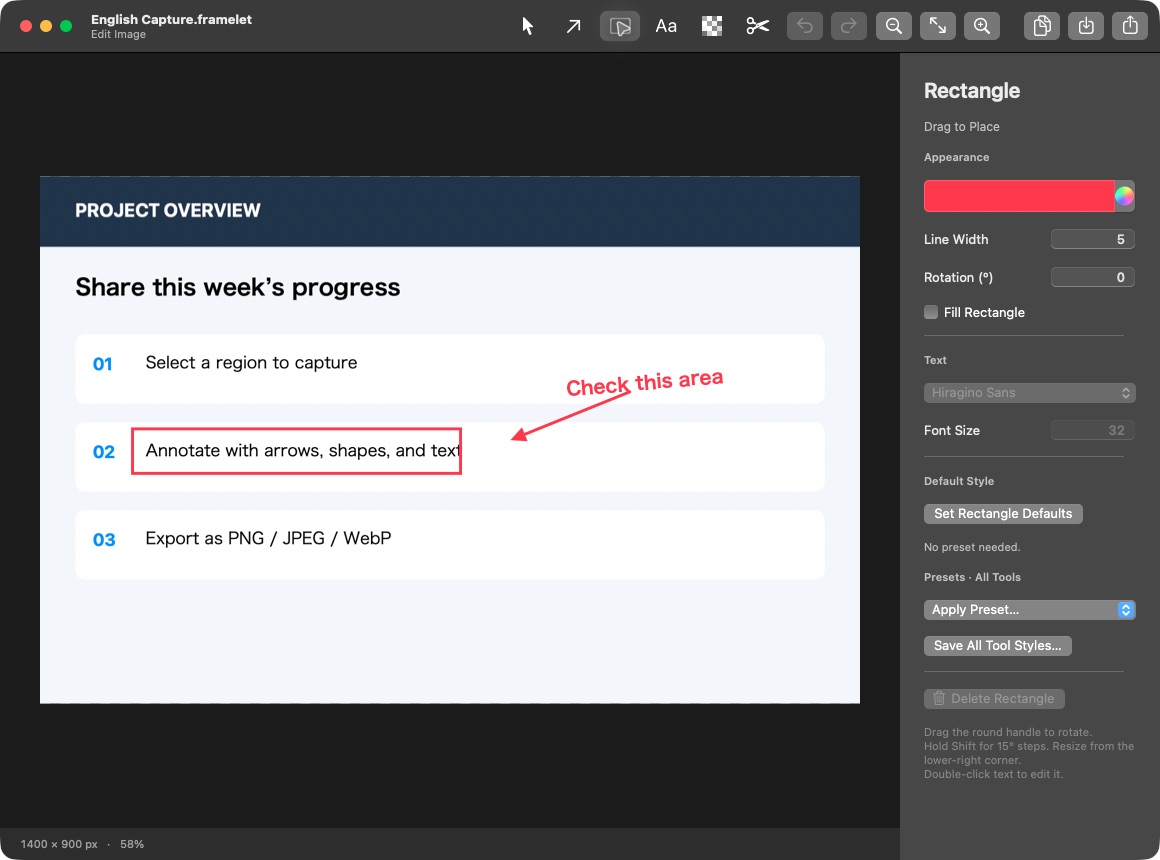
Select an area for a screenshot or screen recording. Capture tall, scrolling content in a single image.
Annotate images with arrows, text, shapes, and mosaic effects. Save your work as a project to edit it later.
Keep the useful parts of a recording and cut out the rest. Export an MP4 to share.
Download
The Mac App Store edition is free. Install and update it through the App Store. Availability and the latest version may vary by region.
Download website edition 0.8.0 (DMG) ↓
macOS 14 or later · Apple Silicon · Free · Automatic updates
SHA-256 checksum
Open the downloaded DMG and drag Framelet.app into the Applications folder beside it. Then open Framelet from Applications. macOS requires Screen Recording permission to capture your screen. Future versions are delivered through the app’s automatic updater.
The website edition supports English and Japanese starting with version 0.8.0. To choose a language, add Framelet in macOS System Settings → General → Language & Region → Applications. For the Mac App Store edition, check the languages listed for the version available in your region.
The website edition includes automatic updates. Use the Framelet menu to change automatic update checks and installation, or choose “Check for Updates…” to check manually.
The Mac App Store manages updates for the App Store edition.
Images and videos stay on your Mac or in a location you choose. Framelet does not send your captures to Carpellia. Screen capture requires macOS Screen Recording permission. Audio recording is not supported.
For help or bug reports, email contact@carpellia.co.jp. Include your app version and the steps that led to the issue. Please do not send private documents or passwords.